SQL-Engineering-Handbook
05 — Business String Analytics
🏠 Module Home · 🗂️ Handbook Home · ← 04 String Cleaning & Validation · Next → Module 11 NULL Handling ▶
Introduction
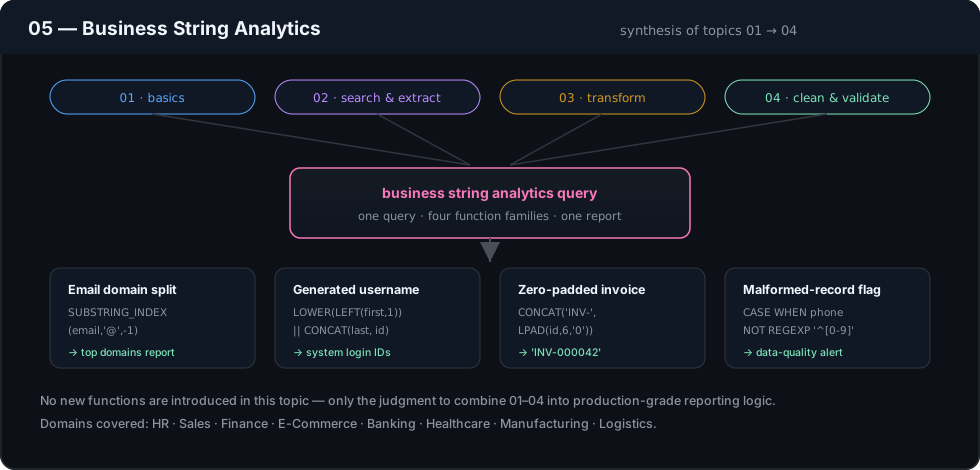
This closing topic doesn’t introduce new functions — it applies everything from Topics 01–04 to end-to-end business reporting problems, using a logistics schema (warehouse labels, shipment tracking, carrier performance). The goal is to practice deciding which combination of string functions a real reporting requirement calls for, not just executing one when told which to use.
Concept Overview
Business string analytics typically combines:
- Cleaning (Topic 04) as a mandatory first step before any aggregation
- Extraction (Topic 02) to derive dimensions (carrier, region, category) that don’t exist as their own columns
- Aggregation (from earlier modules) grouped by those derived dimensions
- Formatting (Topic 03) for final report presentation
The skill this topic builds is sequencing these correctly — cleaning before extracting, extracting before grouping, formatting only at the very end.
Business Motivation
Reporting and analytics teams are frequently asked for breakdowns “by region” or “by category” when no such column exists — only a composite code that encodes it. Business string analytics is the practice of deriving those dimensions reliably enough to aggregate on, without introducing miscounts from inconsistent formatting upstream.
Why These Patterns Exist
Aggregating on a derived-but-uncleaned value silently fragments what should be a single group into several ("FEDX", "fedx", "FEDX " all becoming separate groups in a GROUP BY). This topic exists to make explicit that every derived-dimension report needs a cleaning pass before grouping, not just before display — a mistake that is easy to make once you’re comfortable with extraction functions in isolation.
Real Company Use Cases
- Logistics carrier performance dashboards grouping shipment counts and average delivery time by carrier, derived from a composite tracking number
- Sales category reporting grouping revenue by product category extracted from SKU
- Support ticket triage metrics grouping ticket volume by keyword-detected issue category using
LIKE/REGEXP - Regional compliance reporting grouping and formatting account data by region code extracted from account identifiers
Functions Covered
This topic is a synthesis of all functions covered in Topics 01–04: UPPER/LOWER, TRIM, LEFT/RIGHT/SUBSTRING, CONCAT/CONCAT_WS, LOCATE/SUBSTRING_INDEX, LIKE/REGEXP, REPLACE, LPAD/RPAD.
Syntax
No new syntax. This topic demonstrates composition patterns such as:
SELECT
    UPPER(TRIM(SUBSTRING_INDEX(tracking_number, '-', 1))) AS carrier_code,
    COUNT(*) AS shipment_count
FROM shipments
GROUP BY UPPER(TRIM(SUBSTRING_INDEX(tracking_number, '-', 1)));
Parameters
N/A — see Topics 01–04.
Return Values
N/A at the function level; report-level queries in this topic return grouped, aggregated result sets.
ASCII Visual Explanation
tracking_number = "  fedx-EU-88213 "

Step 1 (extract):   SUBSTRING_INDEX(., '-', 1)   →  "  fedx"
Step 2 (clean):      TRIM(.)                        →  "fedx"
Step 3 (normalize):  UPPER(.)                        →  "FEDX"
Step 4 (aggregate):  GROUP BY on the fully-cleaned value
                       — NOT on the raw extracted value
Skipping steps 2–3 and grouping directly on the raw extraction would split this single carrier into multiple groups across records with different whitespace or casing.
Step-by-Step Examples
Goal: Report shipment volume and average delivery days by carrier, extracted and cleaned from tracking_number.
SELECT
    UPPER(TRIM(SUBSTRING_INDEX(tracking_number, '-', 1))) AS carrier_code,
    COUNT(*)                                               AS shipment_count,
    ROUND(AVG(delivery_days), 1)                           AS avg_delivery_days
FROM shipments
GROUP BY UPPER(TRIM(SUBSTRING_INDEX(tracking_number, '-', 1)))
ORDER BY shipment_count DESC;
Reasoning: The GROUP BY expression must exactly match the SELECT expression, including the full clean-then-normalize chain — grouping on a partially cleaned version (e.g., forgetting UPPER()) reintroduces the fragmentation this topic exists to prevent.
Production Considerations
- Any report grouping on a derived string dimension should have that dimension backed by a materialized/computed column once the report is trusted and run repeatedly — repeating a four-function extraction chain in every report query, and keeping it in sync across reports, does not scale as an organization’s reporting surface grows.
- Validate that the extraction logic actually covers 100% of the data’s format variations before trusting aggregate counts — a single malformed
tracking_numberthat doesn’t contain the expected delimiter will silently fall into its own (wrong) group rather than raising an error. - Peer review derived-dimension reports specifically for whether cleaning happens before grouping — this is the single most common defect class in this kind of query.
Performance Notes
GROUP BYon a function-derived expression cannot use a standard index on the underlying column, and materializes the full expression for every row before grouping — expected and acceptable for periodic reporting, but a strong signal to materialize the derived column if the report runs frequently or the table is large.- Prefer computing the derived expression once in a CTE and grouping on the CTE’s column, rather than repeating the full expression in both
SELECTandGROUP BY— functionally equivalent in most engines but significantly more maintainable and marginally friendlier to the query planner’s expression caching.
Edge Cases
- Records where the expected delimiter is missing entirely (e.g., a
tracking_numberwith no-) will haveSUBSTRING_INDEX()return the whole string as the “carrier code” — these should be isolated and reviewed separately, not silently folded into the main report as their own spurious group. NULLvalues in the source column produce aNULLgroup in most engines’GROUP BY, which typically sorts either first or last depending on the engine — always inspect whether a report’s top or bottom row is actually aNULLgroup before reporting a “top carrier.”
Common Mistakes
- Grouping on the raw extracted value instead of the cleaned one, fragmenting what should be a single business category into several near-duplicate groups.
- Repeating a multi-function derivation expression across
SELECT,GROUP BY, andORDER BYwith a subtle inconsistency between the three (e.g.,UPPER()inSELECTbut not inGROUP BY), which most engines will reject outright — but some will silently allow with confusing results depending on SQL mode. - Treating a one-off cleaned report as “the” derived dimension without escalating it to a permanent computed column, leading to five slightly different versions of “carrier code” logic scattered across a BI tool’s saved queries.
Best Practices
- Always clean and normalize a derived dimension before it appears in a
GROUP BY, never after. - Use a CTE to compute a derived dimension exactly once, then group/order/filter on the CTE’s output column.
- When a derived-dimension report proves valuable, propose it as a first-class column (via migration or generated column) rather than letting the extraction logic live only inside report SQL.
Interview Questions
- Why must a
GROUP BYexpression exactly match the cleaning/normalization applied in the correspondingSELECTexpression? - Walk through what happens to a report’s carrier-code aggregation if half of a table’s
tracking_numbervalues have trailing whitespace and half don’t. - How would you decide whether a derived-string dimension used in a recurring report should be materialized as its own column?
- What’s the risk of grouping on a raw
SUBSTRING_INDEX()extraction without first checking whether every row actually contains the expected delimiter?
Practice Challenges
- Write a report showing shipment count by region code (the second segment of
tracking_number), fully cleaned before grouping. - Identify and separately report any
tracking_numbervalues that don’t contain the expected two delimiters, so they can be excluded from the main carrier report with a documented reason. - Extend the carrier performance report to also include a formatted
avg_delivery_dayscolumn padded to a fixed width for a plain-text summary email, usingLPAD().
Summary
This topic is where Topics 01–04 stop being separate skills and become one workflow: clean, extract, normalize, then aggregate and format — always in that order. The recurring lesson across every scenario in this module is that string data can’t be trusted to behave consistently on its own; every report built on derived text dimensions needs an explicit cleaning step, or its aggregate numbers are quietly wrong.
Further Reading
- PostgreSQL String Functions and Operators
- MySQL String Functions Reference
- Microsoft Learn — String Functions (Transact-SQL)